Volumetric Cloud Rendering in 2.76KB

I decided to embark on this learning journey of rendering clouds since I’ve always wanted to give it a try but I was struggling with motivation. Thankfully, ever since discovering the demoscene, I’ve been more inspired to work on graphics programming projects (even though I am not a graphics programmer by specialization really) and as a result of having watched the Revision 2026 demoparty (which really blew me away), I was even more motivated than before to contribute to the scene with a production.
Now what is the demoscene you may ask? Let’s hear what Wikipedia has to say:
The demoscene is an international computer art subculture focused on producing demos: self-contained, sometimes extremely small, computer programs that produce audiovisual presentations. The purpose of a demo is to show off programming, visual art, and musical skills. Demos and other demoscene productions (graphics, music, videos, games) are shared, voted on and released online at festivals known as demoparties.
Below I’ve attached the words that were on the competition slide at Outline 2026 once my entry was prepared to be shown on the big screen at the event. I was really scared but also really excited to finally have submitted something to a demoscene event. There’s something mentioned below that requires more context, which you will find out more about in this write-up:
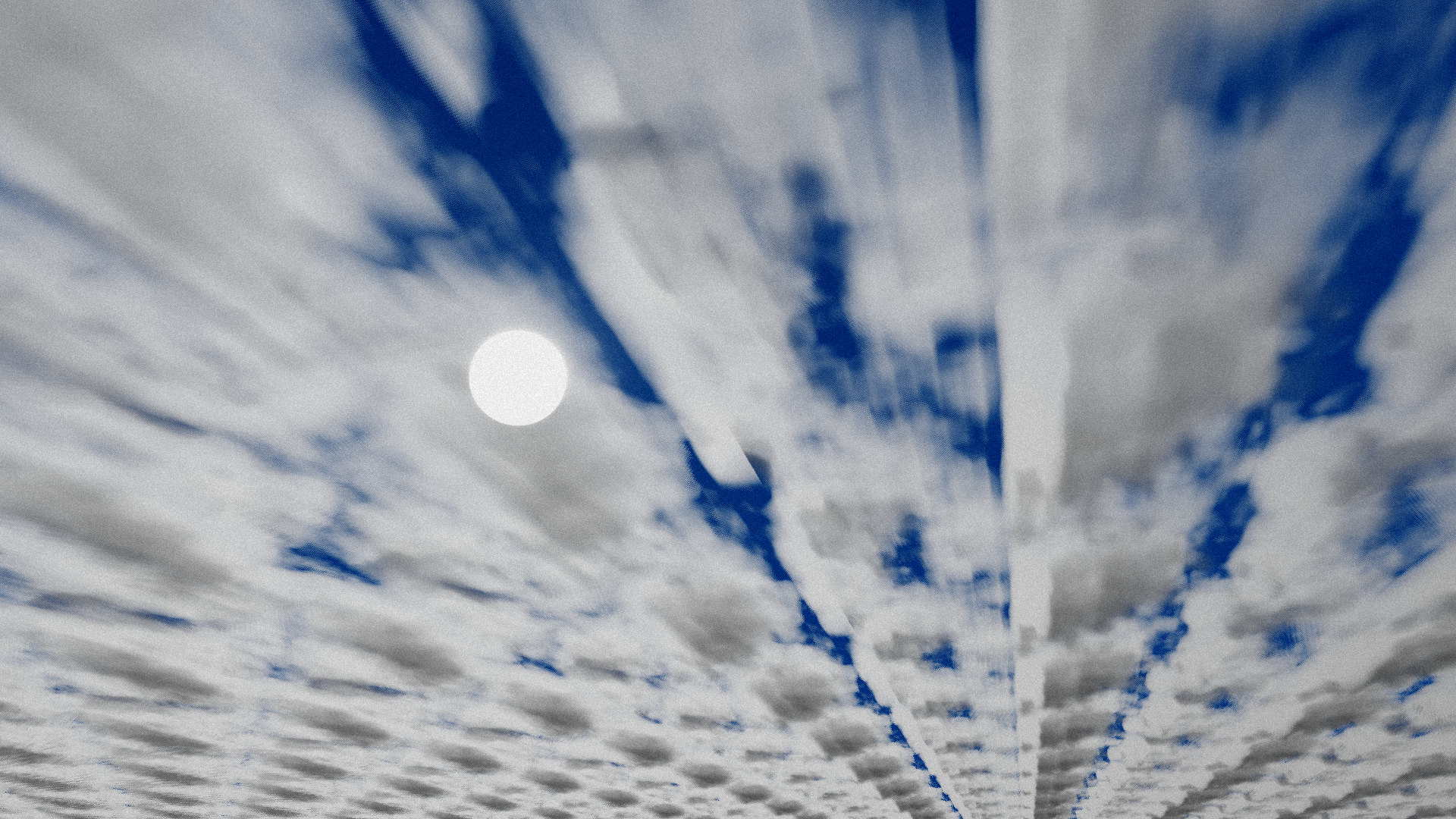
“My first ever entry to a demoparty! Wanted to learn how clouds can be rendered, so submitting something to a demoparty motivated me to actually do so. I nailed down the math behind the lighting for clouds as well as the noise generation thanks to the research papers, but I couldn’t for the life of me figure out how to procedurally generate clouds that don’t look weird if they were at random positions (hence the tiling and repetition..) File size: 2340 bytes”
and yes, I fixed the mentioned “tiling and repetition” issues as will be described later in the article!
The first thing that I could start with for my skillset and short time until the deadlines would be Executable Graphics in a maximum 4096 bytes executable, so I decided to give it a try.
Small executable framework with DirectX 11
An aspect worth mentioning first is that while creating such small applications that run shaders for you, the compressing linker (“Crinkler”) is utilized and put in the Visual Studio solution file’s directory under the name link.exe, essentially replacing MSVC’s linker with Crinkler. Additionally, in small executables the standard main entry point from Windows is replaced with the user’s by using the same function name (void WinMainCRTStartup()) as well as using the /NODEFAULTLIB (ignore all default libraries) and /O1 (optimize for size) MSVC flags. Extra compiler flags and settings for this purpsose can be learned by clicking here.
To learn to create my first small executable, I first started off by asking in the Demoscene community Discord server if there’s any examples of frameworks out there for producing small executables using DirectX 11, since I was interested in learning more about DirectX 11, as well as already having learned that 64k intros in the Demoscene (at least some of my favorite ones) were using DirectX 11:
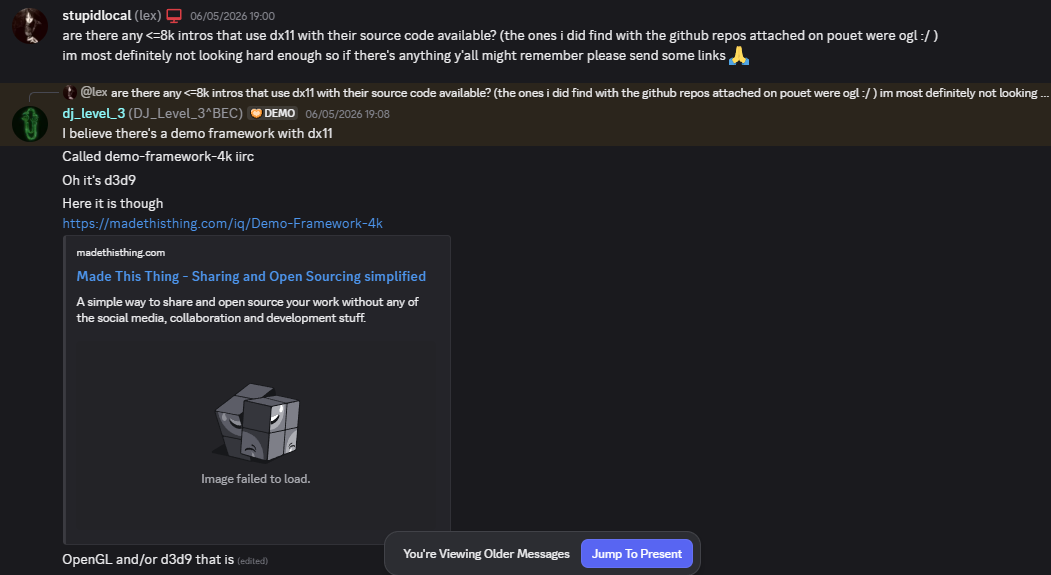
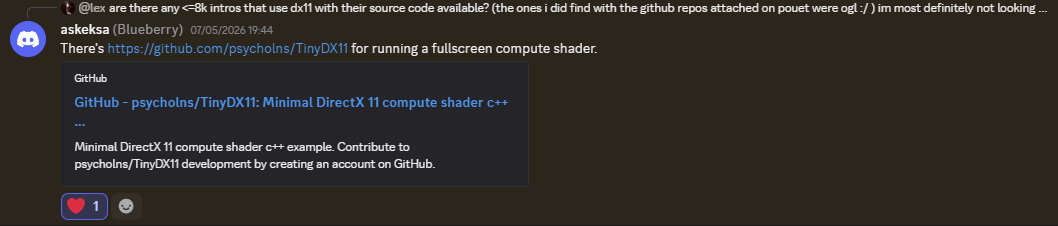
I thought the option from the image above was the only thing open-source for anything like this, so I decided to try to port iq’s DX9 framework to DX11 combining it with code from d7samurai’s “Minimal D3D11” series. Another answer from someone else followed up giving me exactly what I needed as seen in the image below (thanks Blueberry!):
I was lucky with my project’s timing, since as soon as I started my project and added my first shader I ran into a bug that would crash my compressed executable for no reason (even after trying to add some error checks). Thankfully, soon after that a new Crinkler version was released that fixed this problem specifically!
I was really happy that there was something like this available out there so I decided to start writing my own based on it and it turned out pretty well. Below I’ve attached a video of my first small executable (1087 bytes) displaying UV coordinates using a fullscreen triangle (concept still implemented from the “Minimal D3D11”):
But afterwards, I decided to give fullscreen compute shaders a try since only at that point I realised that the setup for a fullscreen triangle is more spatially expensive than just a simple fullscreen compute shader.
Another thing in sizecoded demoscene productions is that they use a tool called “Shader Minifier”, available both in-browser as well as a command-line tool. It supports HLSL but with HLSL in specific it may produce a bug (if one has too many characters in their shader) that it overflows certain characters into cyrilic characters, something which I’ve encountered myself as well once my fullscreen compute shader became too big…
To conclude this section of the article, something fun that I’ve noticed in the “TinyDX11” framework was the re-usage of the swapchain description array for the creation of buffers and the fullscreen compute shader. This is something that I ended up abusing in my entry as well (even though at some point it became kinda cryptic, but that was part of the fun too I guess!)
Embarking in the cloud rendering journey
As I mentioned before, volumetric clouds have been on my learning priority list for a long while, so I found that creating an entry for a demoscene competition would be the perfect opportunity to learn something new finally.
I started with the usual sources, searching for YouTube videos, existent articles and shadertoys on volumetric cloud rendering. The biggest contender was of course, Sebastian Lague’s “Coding Adventure: Clouds” video, from which I ended up learning some of the main concepts behind cloud rendering as well as utilizing some of the code that he provides.
Next was Chris Wallis’ 2-part article series titled “Volumetric Rendering””, which went more slowly over some of the concepts compared to the YouTube video and allowed me to grasp the concepts in a bit more detail.
My main tool of testing all of these concepts and code out (since I was already planning to write HLSL shader code), was to use the DX11 version of the live shader-coding tool “Bonzomatic”:
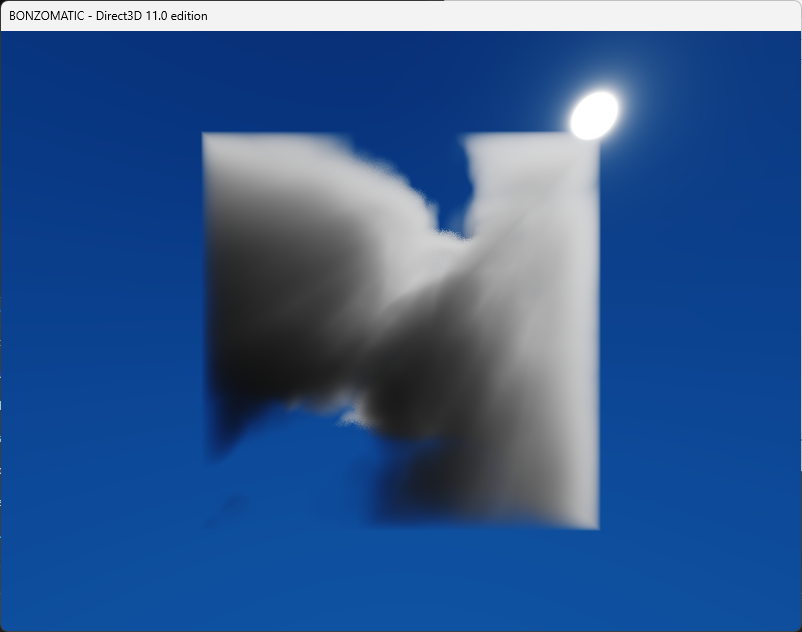
At this point, the most important concept that I’ve learned for volumetric cloud rendering was the usage of a concept called “Fractional Brownian Motion” (FBM), as well as using “Worley Noise” generation since it is the noise type that once inverted looks the closest to the puffy details of a cloud. One thing that I’ve learned about this is that computing and sampling from the FBM every frame (besides the ray-marching loop and a newly introduced “light-marching” loop for lighting calculations) took a huge toll on performance and it was getting way harder to continue with the project in this state.
An improvement in performance came up once I’ve learned through the “Physically Based Sky, Atmosphere and Cloud Rendering in Frostbite” paper by Sebastien Hillaire that the way clouds were being rendered in Frostbite was using textures generated on the CPU: a 3D worley noise texture that gets utilized in the density sampling code. This 3D texture also contained FBM data which swapped both the noise generation and FBM computation with just sampling from a texture.
After applying this, something was wrong. My clouds seemed very low resolution now and the tiling was very visible compared to before. Was that performance benefit really worth it? After all, I’m doing “executable graphics”, and its purpose is to produce a still image (so I wouldn’t really need to care about performance in this case at all.. the bare minimum should be that I don’t burn my or others’ GPUs with my code). Well, the performance problem in reality was just a necessity for me to continue to work on the project, because having 100% GPU usage and about 2 frames per second on my entire PC while having Bonzomatic open (with the Worley & FBM real-time computations) was not gonna cut it.
And another thing, the version of Bonzomatic that I use doesn’t even support compute shaders! Iteration speed was becoming a hassle… So I started coding the shaders in my DX11 framework in the Debug configuration (since TinyDX11 has shader debugging enabled if in the Debug configuration) without any syntax highlighting since the shaders were stored in a character array. But it ended up being faster and more useful now that I have access to the glorious compute shader outputs.
The problem at this point was that I was running out of time since the deadline for the Executable Graphics Competition was Friday the 15th at 12:00 PM CET, and my entry so far was not looking bright due to the clouds not looking the way I intended them to.
While my clouds were still not looking the greatest, I also couldn’t figure out at the time how to generate random positions for the clouds based on the paper’s implementation either. At that point I’ve only read in-between the lines of the paper since due to the deadline I was in a hurry, so I only remained with a 3D worley noise texture calculation and some lighting calculation improvements from that.
What I decided at this point was to have a single cloud’s density and apply the SDF concept of “repeating” it by using the classic modulo trick and offseting it by some values. I ended up with the result from below:
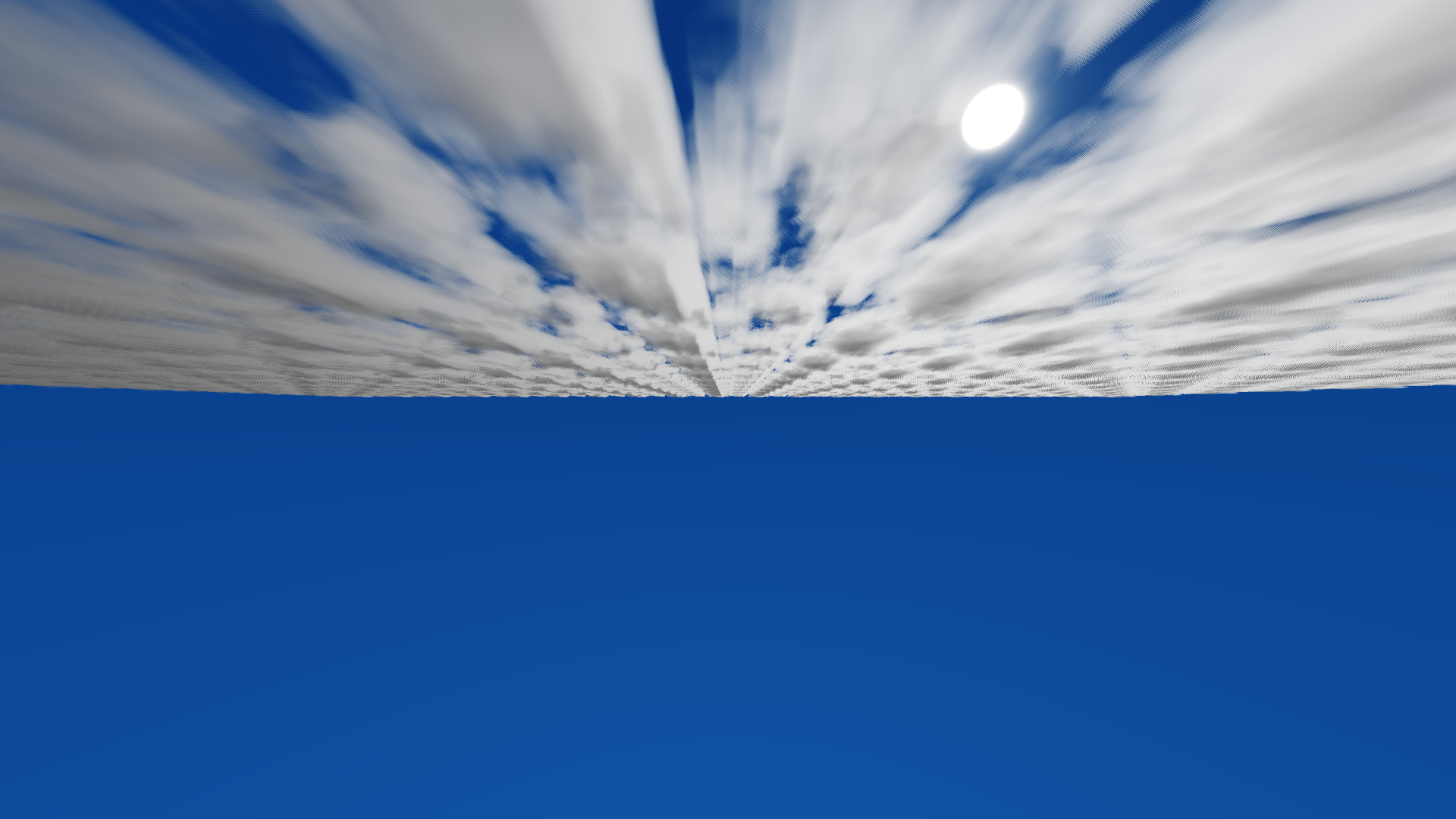
Below I’ve attached a screenshot of what I presented as my entry for the Executable Graphics Competition at the Outline 2026 demoparty held in Ommen, The Netherlands. This was my first ever demoscene contribution and even though I wasn’t happy that I couldn’t figure out how to fix my code properly at that point yet, I decided to keep it like this and contribute with an entry once and for all. An interesting aspect that you can notice in the entry’s output is that I’ve applied a grain filter on top of the final output, to give it an “artistic flair”. The executable filesize for this was 2340 bytes and it ranked 6th out of 8 total entries in the compo.
Getting a more presentable output ready for a portfolio piece (or creating a final version?)
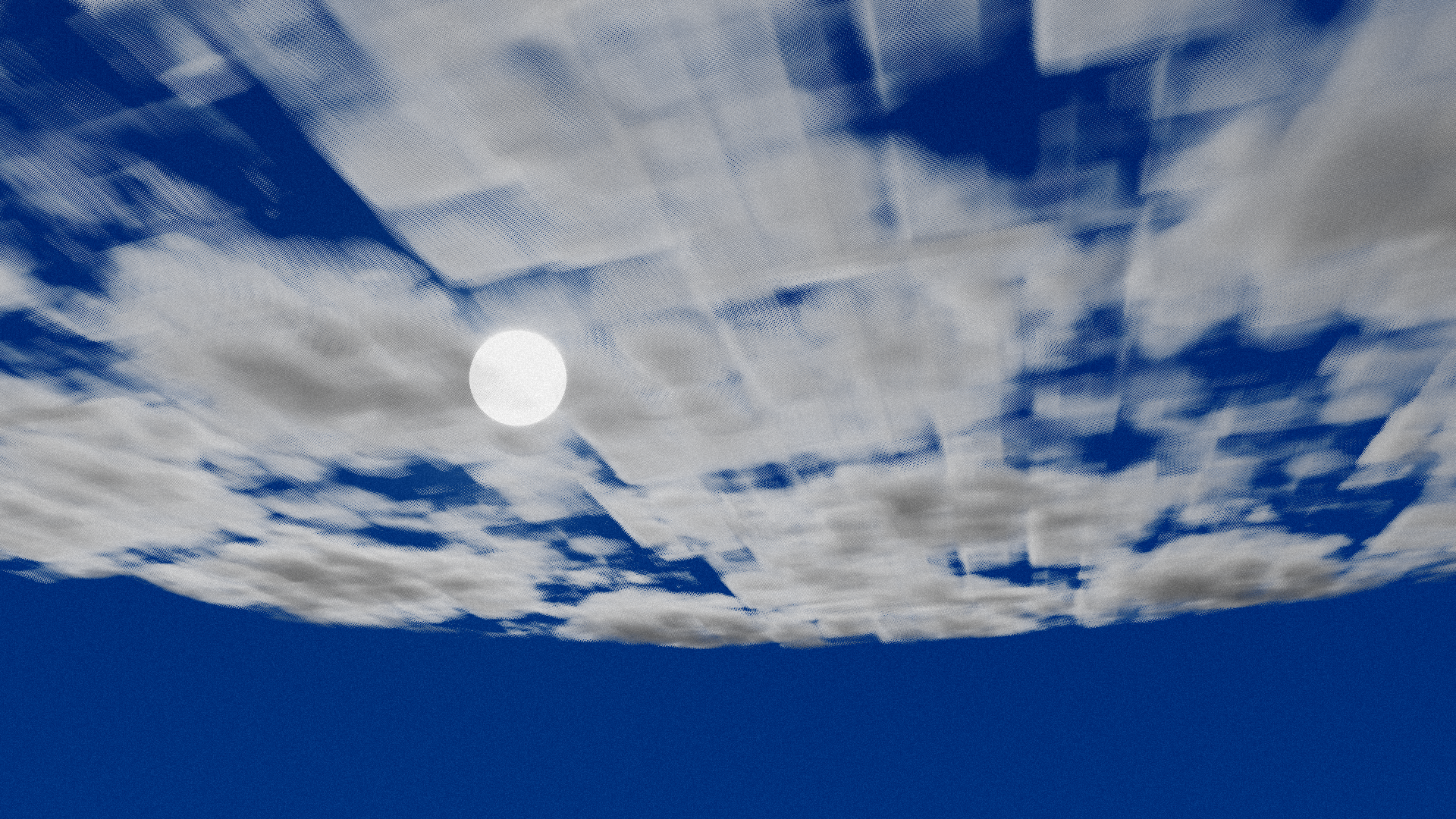
After I’ve already submitted my entry, I asked a graphics programmer friend (@stdlynn) to help me try to figure out what I’ve been doing wrong in my implementation. She realised that I was missing a crucial step, more specifically an AABB check for the distribution of clouds across the bounds of the AABB (which is a detail that I didn’t understand from the Sebastian Lague video and I thought at the time that I wouldn’t need it). That already ended up fixing my main problem and confusion towards “cloud distribution” and I was happy with the output already:
The big problem of “low-resolution”-looking clouds was still there. I tried changing the 3D worley noise texture from 128x128x128 to 256x256x256, and the improvement was so slight that it really was useless. I decided to read over the Frostbite paper without being in a rush this time and I discovered that, of course, I was missing some crucial steps for the noise generation. In the main file of the “TileableVolumeNoise” GitHub repository by the author of the paper, it is visible that he generates multiple different noises: 3D worley noise texture, 3D erosion texture (for the finer details of the clouds) and a 2D weather texture for helping with the cloud distribution.
Since I couldn’t compute anything on the CPU side due to the size restriction in mind (even though the competition was already over at this point), I decided to port the 2 additionally required textures mentioned in the paper and the GitHub repository to HLSL compute shaders. Below I’ve linked my project’s GitHub repository which includes the ported shaders:
The fullscreen compute shader in the repository (repo_root/shaders/cloudmarching-fullscreen.hlsl) contains comments explaining all the steps and inspirations applied to get the volumetric clouds working.
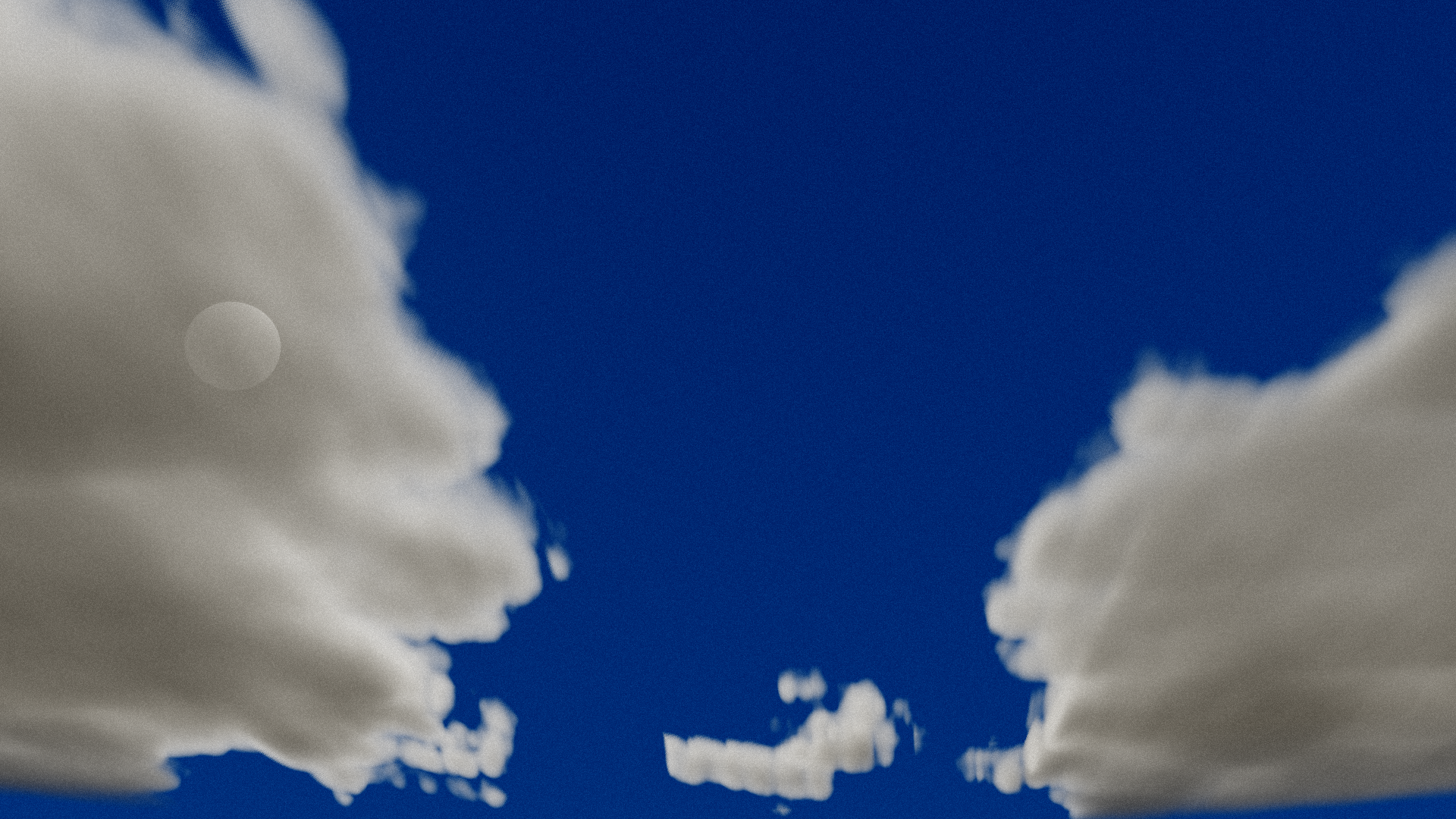
At last, after I’ve applied all of this I’ve finally gotten something on the screen which looked more like a realistic cloud:

Special thanks goes to this ShaderToy since it was based off the same research paper that I used and it helped with fixing some of the lighting code: https://www.shadertoy.com/view/3sffzj
Another aspect worth mentioning is that together with my friend Lynn we ended up swapping the old AABB code for the clouds with a line-plane intersection calculation (since the purpose of the project was to just have a final output image looking at a sky with clouds and nothing more), which already fixed some of the problems with the distribution of clouds across the visible space.
Conclusion
It was really an interesting and motivating journey to learn something new for the purpose of submitting it to a competition, and I feel like the demoscene is a programmer’s perfect sandbox to explore new aspects within, while also motivating oneself for the purpose of showing off your work to a crowd.
While I wish I could’ve fixed my entry in time so it would look as I envisioned it and so that it would look more “pretty”, I’m really happy that I managed to finally make something for a competition like this and I am looking forward to continue doing so for as long as I can. Next on my to-do list is to attend a demoparty in person (I’m looking at you, “Evoke 2026”! 👀)
Something that could be optimized in terms of the filesize of the executable would be to use a single compute shader for the different textures that are generated before the final screen output is prepared.
A few final words on the cloud rendering itself are that they still could be improved or used more modern techniques to render them. The sources that I’ve used are a bit outdated at this point and the state of the art would be voxel-based clouds as “Nubis, Cubed: Methods (and madness) to model and render immersive real-time voxel-based clouds (SIGGRAPH 2023 Course - Advances in Real-time Rendering Games)” states. The state of the art for volumetric cloud rendering can be found at the following link: https://www.schneidervfx.com/.
Downloads
Sources
- TinyDX11 - DX11 intro framework (base for this project)
- Crinkler - compressing linker
- Shader Minifier - GLSL/HLSL shader minification tool
- Physically Based Sky, Atmosphere and Cloud Rendering in Frostbite - Sebastien Hillaire, SIGGRAPH 2016
- The Real-Time Volumetric Cloudscapes of Horizon Zero Dawn - Guerrilla Games
- Coding Adventure: Clouds - Sebastian Lague
- Volumetric Rendering - Chris Wallis
- Real-time Cloudscapes with Volumetric Raymarching - Maxime Heckel
- TileableVolumeNoise - Sebastien Hillaire
- ShaderToy: Volumetric Clouds
- iq’s articles on ray-marching and SDFs
- https://github.com/Gargaj/Bonzomatic
- https://www.schneidervfx.com/